Creating a productive home office space is essential for anyone working remotely or spending significant time on home-based projects. A well-designed workspace can help improve focus, reduce distractions, and make your workday more enjoyable. Whether you are setting up a new office or refreshing an existing one, these tips will guide you in creating an environment that supports your best work.
Choose the Right Location
The first step is selecting a suitable spot in your home for your office. Ideally, choose a quiet area away from heavy foot traffic and household noise. If possible, pick a room with a door to separate work from home life and minimize interruptions.
Natural light is another important factor. A space near a window will boost your mood and energy levels. However, make sure that the light doesn’t create screen glare on your computer. Position your desk perpendicular to the window for the best light balance.
Invest in Comfortable and Functional Furniture
Comfort is key to maintaining productivity during long work hours. Invest in a good ergonomic chair that supports your back and promotes good posture. A desk at the right height—generally around elbow level when seated—can help prevent strain on your wrists and shoulders.
If space allows, consider a sit-stand desk to alternate between sitting and standing throughout the day, which can improve circulation and reduce discomfort.
Include storage solutions like shelves, filing cabinets, or desk organizers to keep your workspace neat and clutter-free.
Organize and Declutter
A tidy workspace helps keep your mind clear and focused. Use trays, bins, or drawer dividers to store office supplies and paperwork. Keep only essential items on your desk to avoid distractions.
Regularly clean and declutter your space to maintain organization. Dedicate a few minutes at the end of each day to tidy up, so you’re ready for the next work session.
Optimize Your Technology Setup
Reliable technology is crucial for a smooth workday. Invest in a fast and stable internet connection to prevent disruptions. Use a quality monitor or dual screens to improve efficiency, especially if you multitask frequently.
Ensure your keyboard and mouse are comfortable and positioned correctly to avoid repetitive strain injuries. Cable management systems help prevent tangled wires, keeping your desk neat and safe.
Keep your workspace free of unnecessary devices and notifications that could interrupt your focus.
Create a Pleasant Ambiance
The overall atmosphere of your office affects your mood and productivity. Consider factors like color, decor, and lighting.
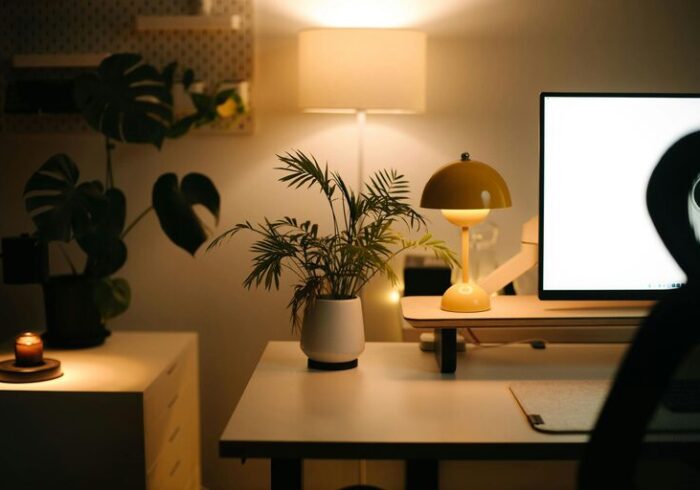
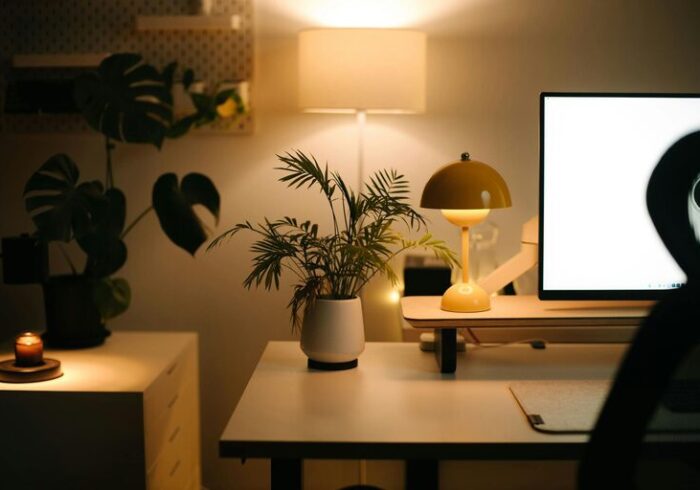
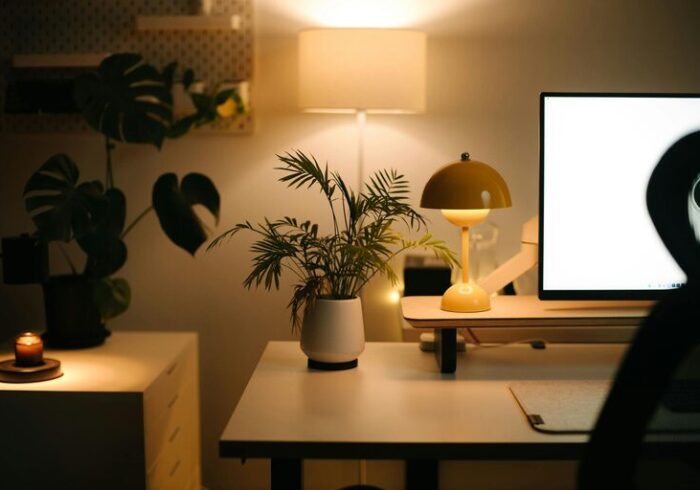
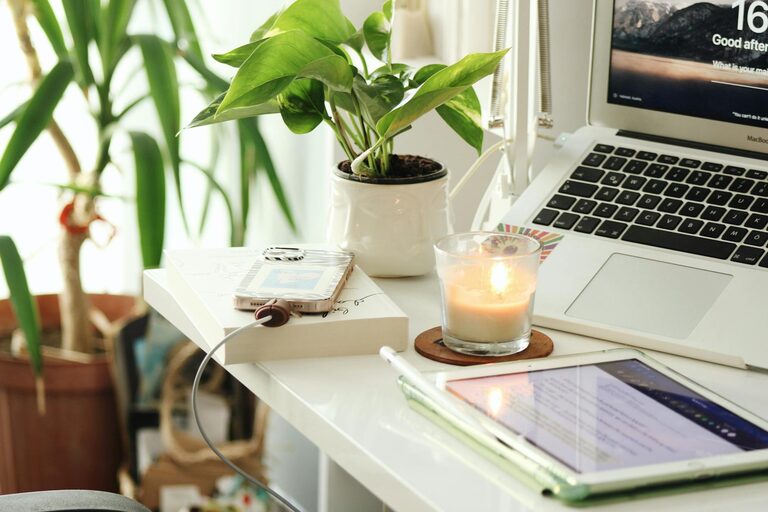
Choose calming colors like soft blues or greens that promote concentration. Personal touches such as photos, plants, or artwork can make the space more inviting and reduce stress. Plants, in particular, can improve air quality and add a touch of nature.
Use layered lighting: a combination of overhead light, task lighting, and natural light helps reduce eye strain. Adjustable lighting that mimics daylight is ideal for video calls and detailed work.
Establish a Routine and Boundaries
To maximize productivity, treat your home office like a professional environment. Create a daily routine by setting specific work hours and breaks. This helps maintain a clear boundary between work and personal time.
Communicate your schedule to family or roommates to minimize interruptions. When you finish work for the day, leave your workspace or close the door to signal the end of your workday.
Manage Noise and Distractions
Lastly, managing noise is important for concentration. Use noise-canceling headphones or white noise machines if your environment is noisy. If possible, soundproof your office by adding rugs, curtains, or acoustic panels to reduce echoes.
Minimize digital distractions by turning off non-essential notifications, closing unrelated tabs, and using productivity apps to stay focused.
—
Designing a productive home office space doesn’t have to be complicated. By thoughtfully selecting your location, investing in comfortable furniture, organizing your supplies, optimizing technology, and creating a welcoming ambiance, you can create a workspace that supports your best work every day. Remember to maintain routines and boundaries to balance your professional and personal life effectively. With these tips, your home office will be a place where productivity and comfort come together seamlessly.